Quick answer
Where do archived emails go in Gmail?
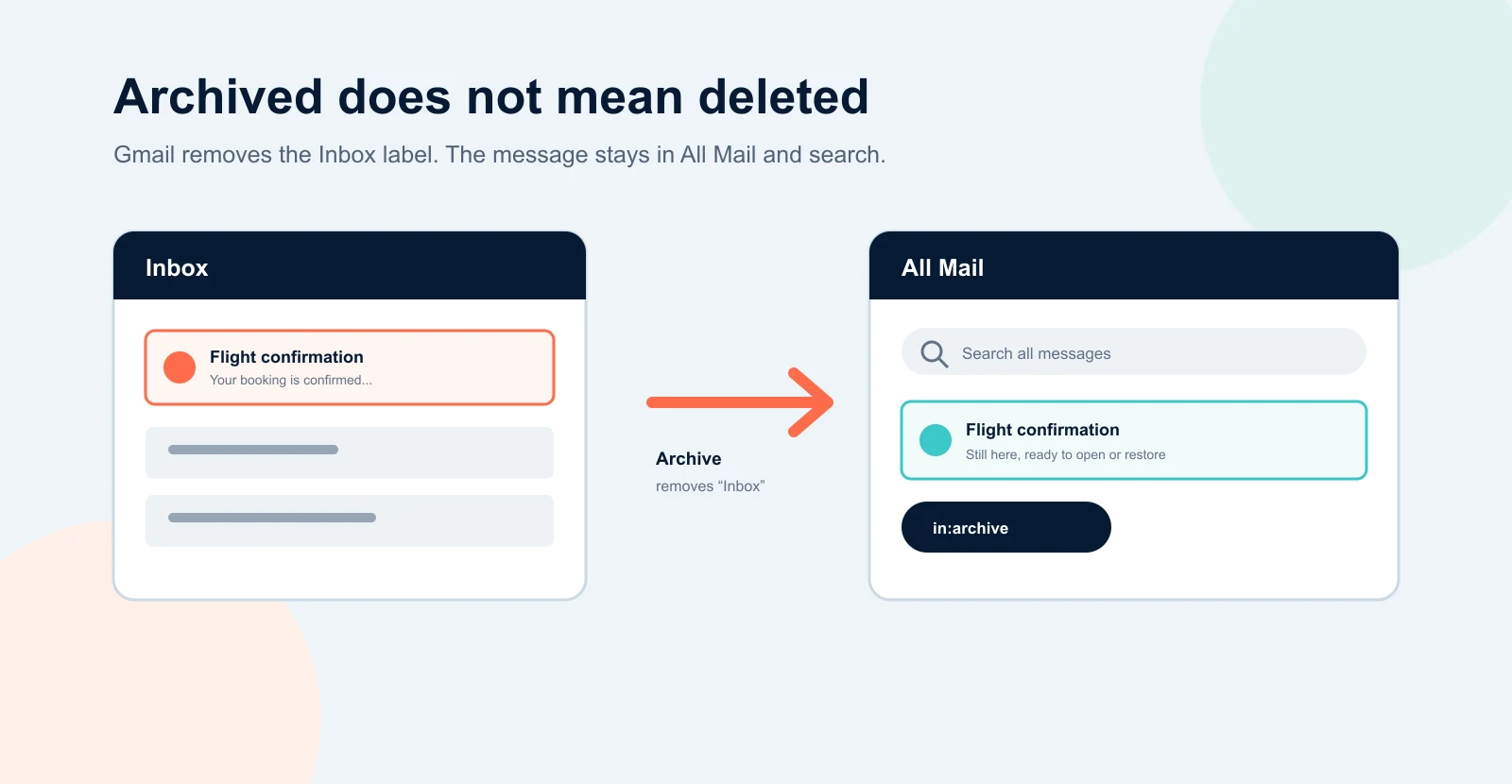
Archived Gmail messages stay in All Mail. Gmail does not create a separate Archive folder. To see only archived messages, type in:archive in the Gmail search bar. To restore one, select the message and choose Move to Inbox.
You may archive an email to clear your inbox, then need it weeks later. The message has not disappeared: archiving simply removes its Inbox label. It remains in your account, can still appear in search, and can be opened, replied to, forwarded, labeled, or returned to the inbox.
How to find archived emails in Gmail on a computer
- Open Gmail in your browser and sign in.
- In the left sidebar, click More. If the full label list is already open, you can skip this step.
- Click All Mail.
- Look for the message. Emails that are still in your inbox show an Inbox label; archived messages do not have that label.
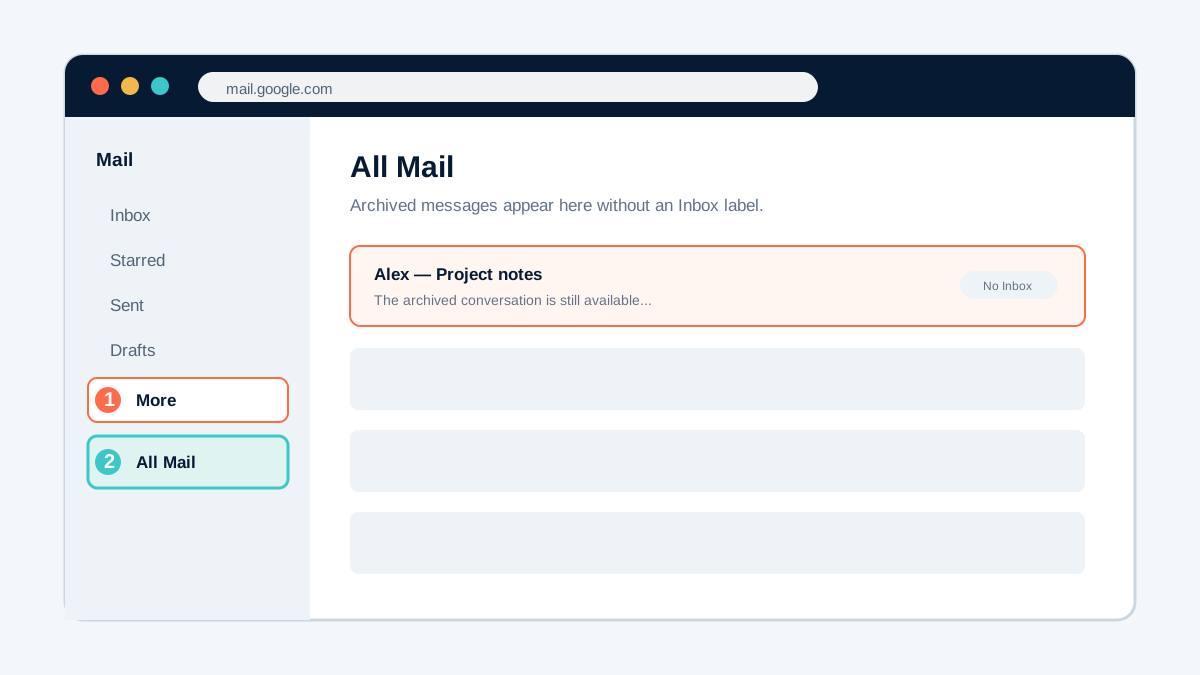
All Mail contains inbox messages, sent messages, and archived messages together, so scrolling can be slow. If you remember the sender, subject, date, or a phrase from the message, use search instead.
How to find archived emails on Android, iPhone, or iPad
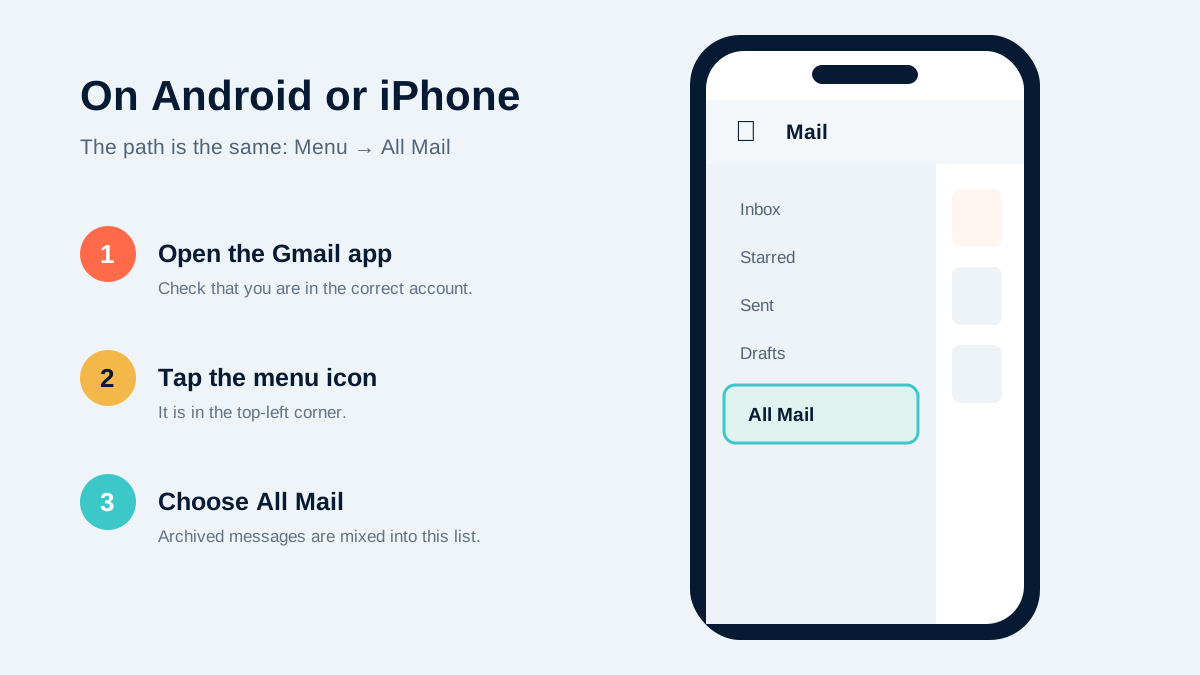
The Gmail app uses nearly the same path on Android and iOS:
- Open the Gmail app and switch to the correct account.
- Tap the three-line Menu icon in the top-left corner.
- Scroll down and tap All Mail.
- Open the message you need, or use the search bar at the top to narrow the list.
The fastest method: search archived emails
Gmail's normal search includes archived mail, so you can often type a name, email address, subject, or phrase and find the message immediately. If you want to exclude current inbox mail and search only the archive, begin with in:archive.
| What you remember | Search to try |
|---|---|
| Only that it was archived | in:archive |
| The sender | in:archive from:alex@example.com |
| Words in the subject | in:archive subject:invoice |
| It had an attachment | in:archive has:attachment |
| It included a PDF | in:archive filename:pdf |
| It arrived after a date | in:archive after:2026/01/01 |
| An exact phrase | in:archive "booking confirmation" |
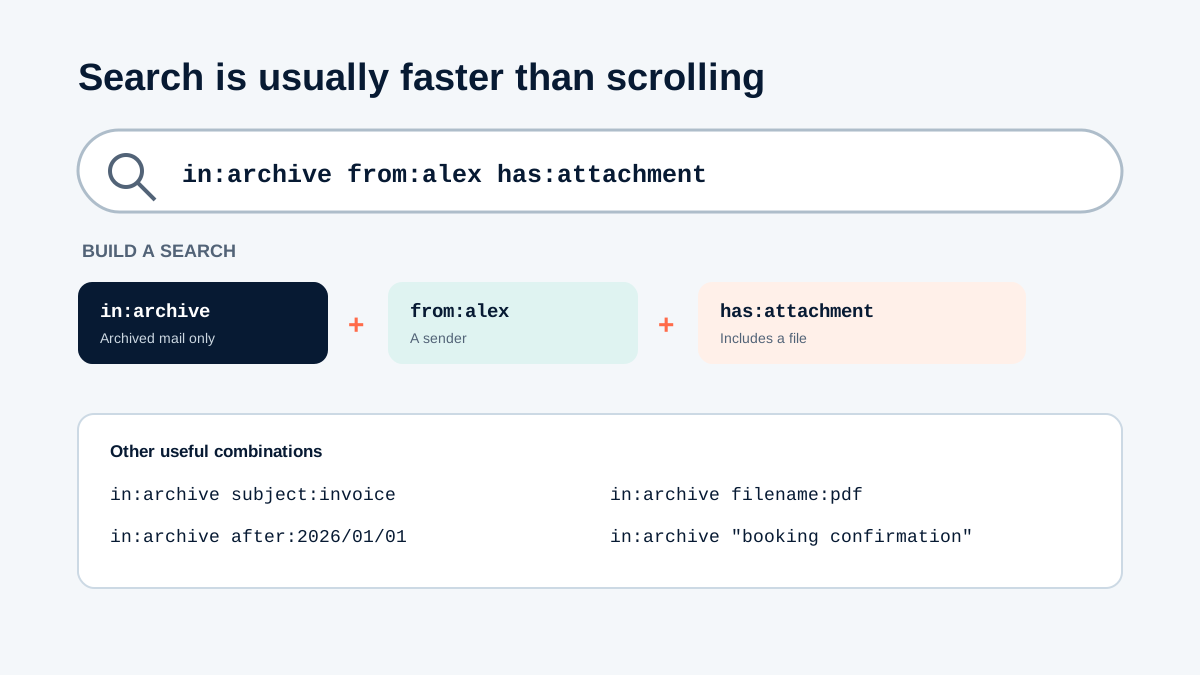
in:archive with details you remember to reduce the results.Search operators can be combined. For example, in:archive from:alex@example.com filename:pdf after:2026/01/01 looks for archived PDF emails from Alex received after January 1, 2026.
How to move an archived email back to the inbox
On a computer
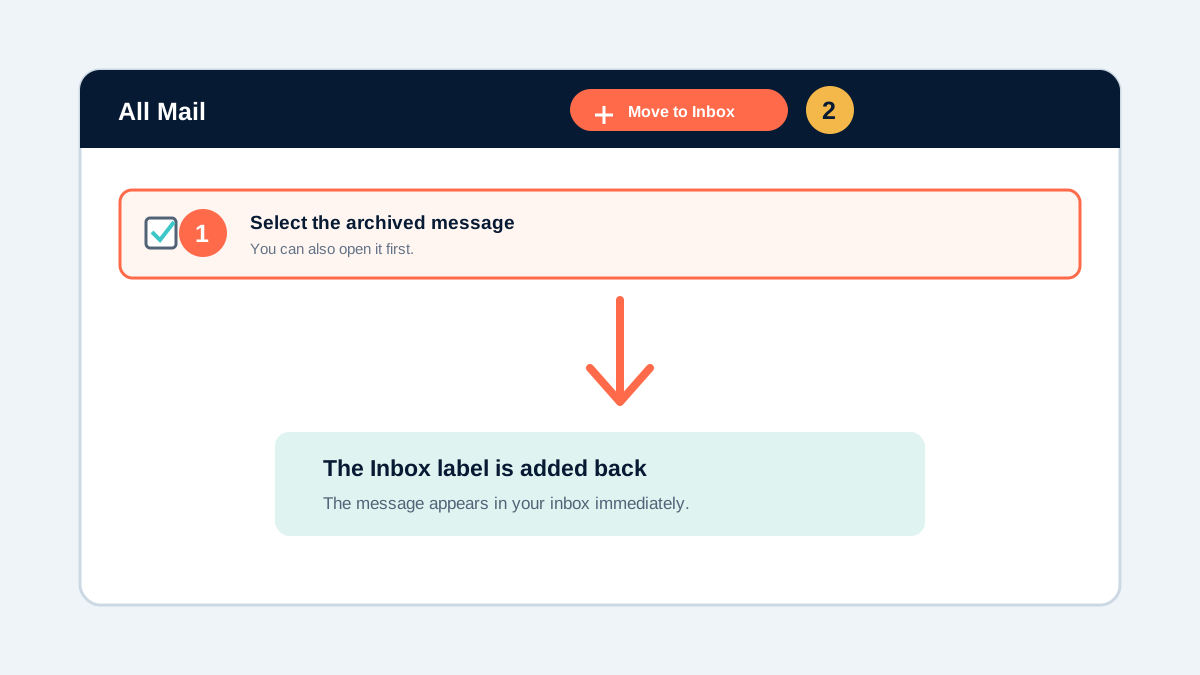
- Find the archived message in All Mail or search results.
- Select the checkbox beside it, or open the message.
- Click Move to Inbox in the toolbar.
On Android, iPhone, or iPad
- Touch and hold the archived message, or open it.
- Tap More (the three-dot menu).
- Tap Move to Inbox.
You do not have to restore a message before using it. You can reply to or forward an archived email directly from All Mail. Also, if someone replies to an archived conversation, Gmail returns that conversation to your inbox automatically.
Archive vs. delete in Gmail
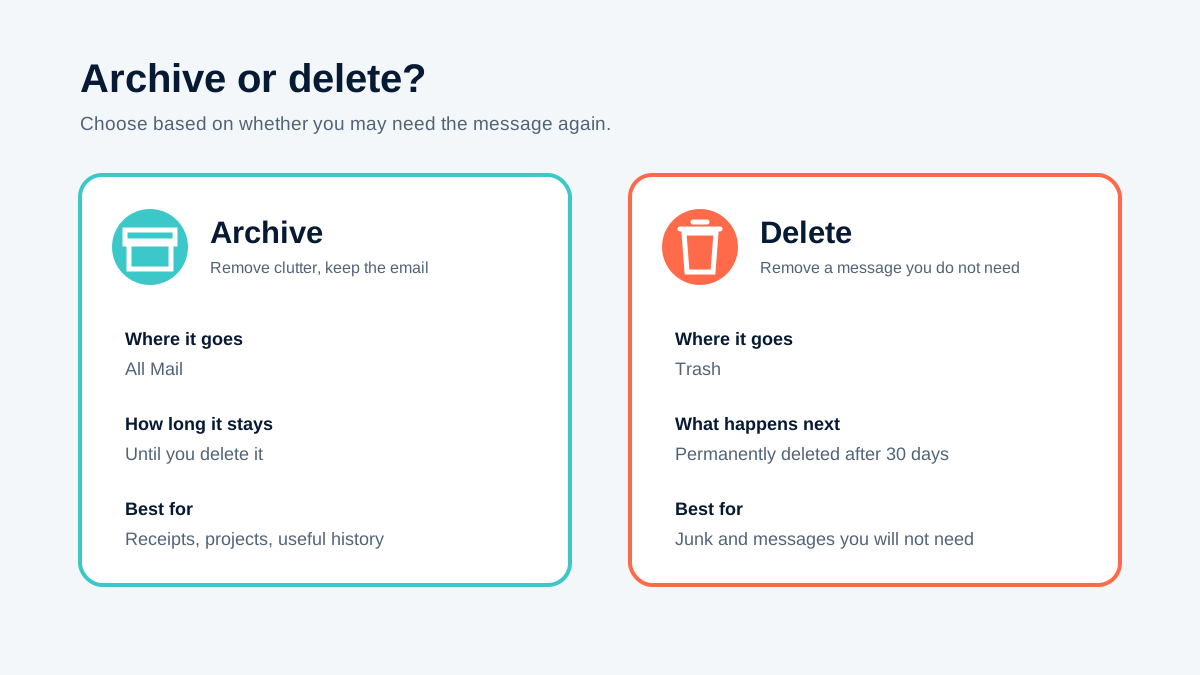
| Action | Where the message goes | What happens later |
|---|---|---|
| Archive | Remains in All Mail | Stays until you delete it; remains searchable |
| Delete | Moves to Trash | Is permanently deleted after 30 days, unless you delete it sooner |
Archiving is useful for reducing inbox clutter, but it does not free Google account storage: the message and its attachments still exist. If storage is your goal, review large attachments and delete messages you genuinely no longer need.
What to check if the archived email is still missing
- Confirm the Google account. Your work, school, and personal Gmail accounts have separate mailboxes.
- Search Spam and Trash. Standard Gmail search does not include these areas. On a computer, open advanced search and choose Mail & Spam & Trash, or try
in:anywhere. - Try fewer search terms. A misspelled name or overly specific date can hide the right result. Start with the sender or one distinctive phrase.
- Check your connection. When you are offline, Gmail can search only the messages already synced to the device.
- Consider deletion or an account rule. A message may have been deleted from another synced device, moved by a filter, or affected by a workplace retention policy.
A simple way to manage archived mail
Use the inbox for messages that still need attention, not as permanent storage. After replying or completing a task, add a useful label when needed and archive the conversation. Labels such as Receipts, Travel, or Client Projects give you a browseable path later, while search remains the quickest option for one specific message.
If you repeatedly receive low-priority mail from the same sender, a Gmail filter can apply a label and skip the inbox automatically. Review any automatic rule carefully so that time-sensitive messages do not disappear from view.
How we checked this guide
Pixel & Plug reviewed Google's current Gmail Help instructions for desktop, Android, and iPhone/iPad, along with Google's documentation for Gmail search and deleted messages. Interface labels can change, but the archive behavior described here was checked on August 4, 2026.
Frequently asked questions
Is there an Archive folder in Gmail?
No. Gmail does not have a separate Archive folder. Archived messages remain in All Mail after the Inbox label is removed.
How do I see only archived emails?
Type in:archive in the Gmail search bar. You can add a sender, subject, date, phrase, or attachment operator to narrow the results.
How long do archived emails stay in Gmail?
They remain in the account until you delete them or another account policy removes them. Archiving itself does not start a deletion timer.
Can I reply to an archived email?
Yes. You can reply or forward directly from All Mail. If someone replies to an archived conversation, Gmail normally returns the conversation to your inbox.
Does archiving Gmail free storage space?
No. The email and any attachments still exist, so they continue to use account storage. Deleting messages and then clearing Trash is what frees space.
Why does an archived email still appear under a label?
Archiving removes only the Inbox label. Other labels remain, so the same message can still appear under a project, receipt, travel, or custom label.